

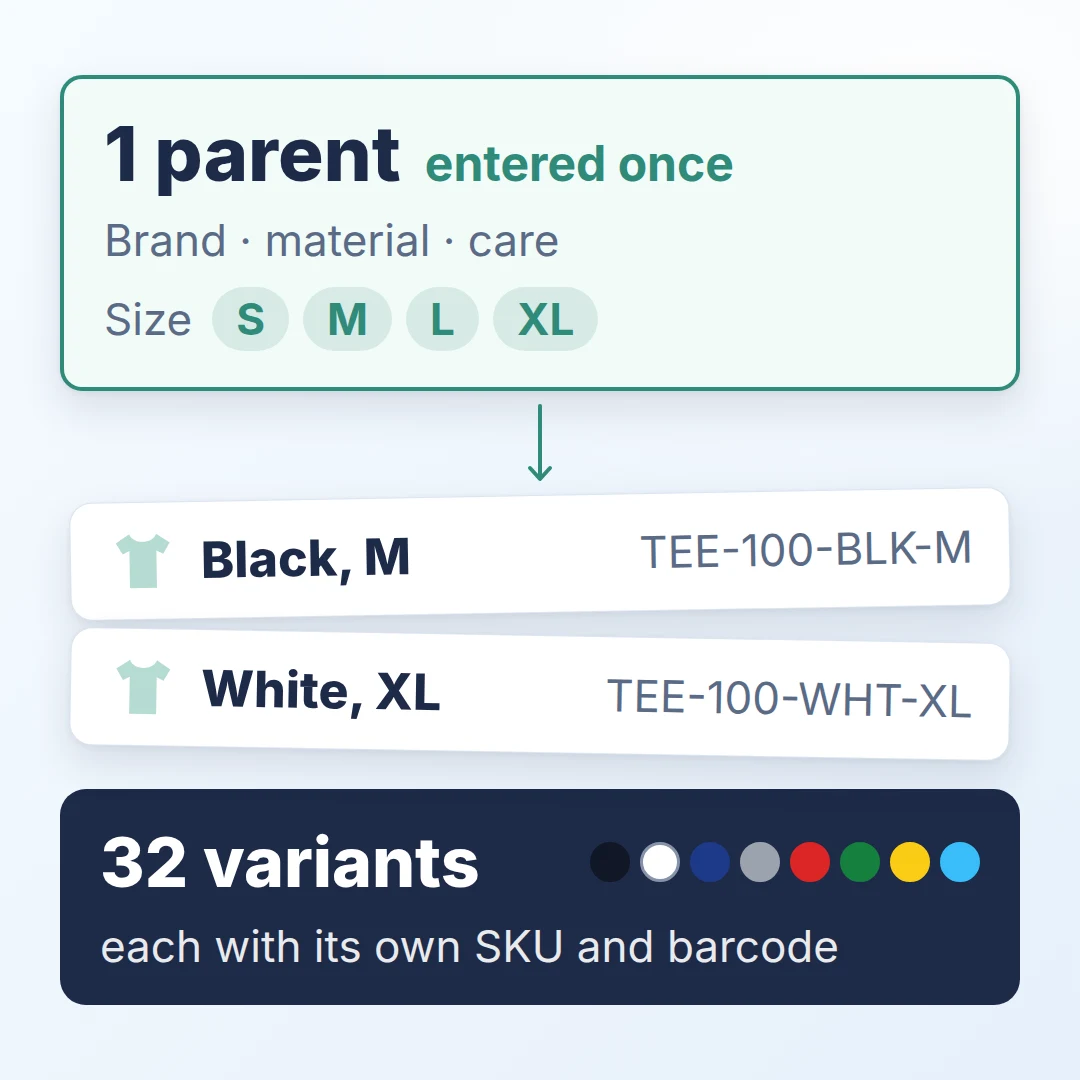
If you sell a T-shirt in 4 sizes and 8 colours, that’s 4 × 8 = 32 variants. In a spreadsheet, that can mean 32 rows repeating brand, material and care. Miss one row when the fabric changes, and two versions of your shirt disagree.
Managing variants and bundles well comes down to one rule: keep shared facts once on a parent product, and let each variant hold only what differs. Bundles list products and quantities; packaging levels record units per pack. Below: how GridPXM handles each, and a check to run this week.
How should you split data between a parent and its variants?
Shared facts go on the parent, differences on each variant. A simple test: if two variants disagreeing would be a mistake, the fact belongs on the parent. Choose the options on the parent, here size and colour; every combination becomes a variant. In GridPXM, each variant has its own option values, SKU, barcode, images and status.
A variant can override a shared fact, and GridPXM labels the override automatically; reset it and the variant inherits the parent’s value again. An override can use only values already defined for that attribute.
Publish the family from the parent; a variant’s own page has no publish button, and the family goes out as one. GridPXM checks the parent and every variant first, so it cannot be published with no variants, or with a variant that has none of its option values set. Each variant’s gallery is its own, with no fallback to the parent, so a red shirt cannot borrow a black shirt’s photo.

How do you create 32 variants without typing 32 rows?
Generate the combinations, then review each SKU. GridPXM builds each SKU from the parent SKU and option values, with a pattern you can edit.
A missing SKU, a duplicate SKU or a repeated combination is flagged on its row. Creation is all or nothing: never 29 of 32.
What stops a bundle from going wrong?
A bundle with nothing recorded inside it should never go out in a catalogue or export. A bundle, or kit, is a product made of existing products, each with a quantity: say, a gift box with a T-shirt and a cap. GridPXM blocks an active bundle with no components, and a bundle containing itself, directly or through another bundle.
The component picker skips archived products and, for a product with variants, asks for the actual variant: the black M shirt, not “the shirt”.
How do packaging levels work for wholesale?
A packaging hierarchy records the quantities between levels: for your black M shirt, single shirts, packs, cartons and pallets. GS1 calls a carton a case. “A trade item hierarchy shows which consumer units a case contains, or which cases a pallet contains,” says GS1 Sweden’s support article on trade item levels.
In GridPXM, a packaging level is built like a bundle, so the same guards apply. Each level has its own SKU and can carry a GTIN, a trade item identifier. GridPXM validates its check digit and blocks reuse within your workspace. A smaller level cannot contain a larger one, and a chain with no level marked orderable cannot be published. Each variant gets its own chain.
Say you pack 6 shirts a pack, 8 packs a carton and 40 cartons a pallet: that’s 6 × 8 × 40 = 1,920 shirts a pallet. Mark the carton as orderable.

Which variant mistakes should you check for first?
Check one product family, in this order.
- Unexplained differences. For one shared fact, group the variants by value. Check each difference against the spec sheet; keep documented exceptions and fix the rest first.
- Missing or shared barcodes. If this family uses barcodes, count blanks separately, then check any number used by two variants against your GS1 allocation.
- Borrowed images. Check each variant’s main image against the physical item or approved photography.
- Mixed formats. Check option labels against your agreed list: “S” or “Small”, not both. Why that matters for AI shopping tools.
Record what you find for each family in a row like this:
- Family: TEE-100, 32 variants
- Fact: Material
- Observed: 2 of 32 differ from the supplier spec sheet without a documented reason
- Owner: Catalogue lead
- Effort: 20 minutes
- Recheck: same 32 variants a week later, aiming for 0 unexplained differences
Success: no unexplained differences and, where barcodes are required, no blanks or shared numbers.
This finds inconsistency, not truth; the spec sheet stays the authority. Before you change what a pack holds, ask your GS1 member organisation whether it needs a new GTIN.
Enter the shared facts once, and let each variant hold only what makes it different.