

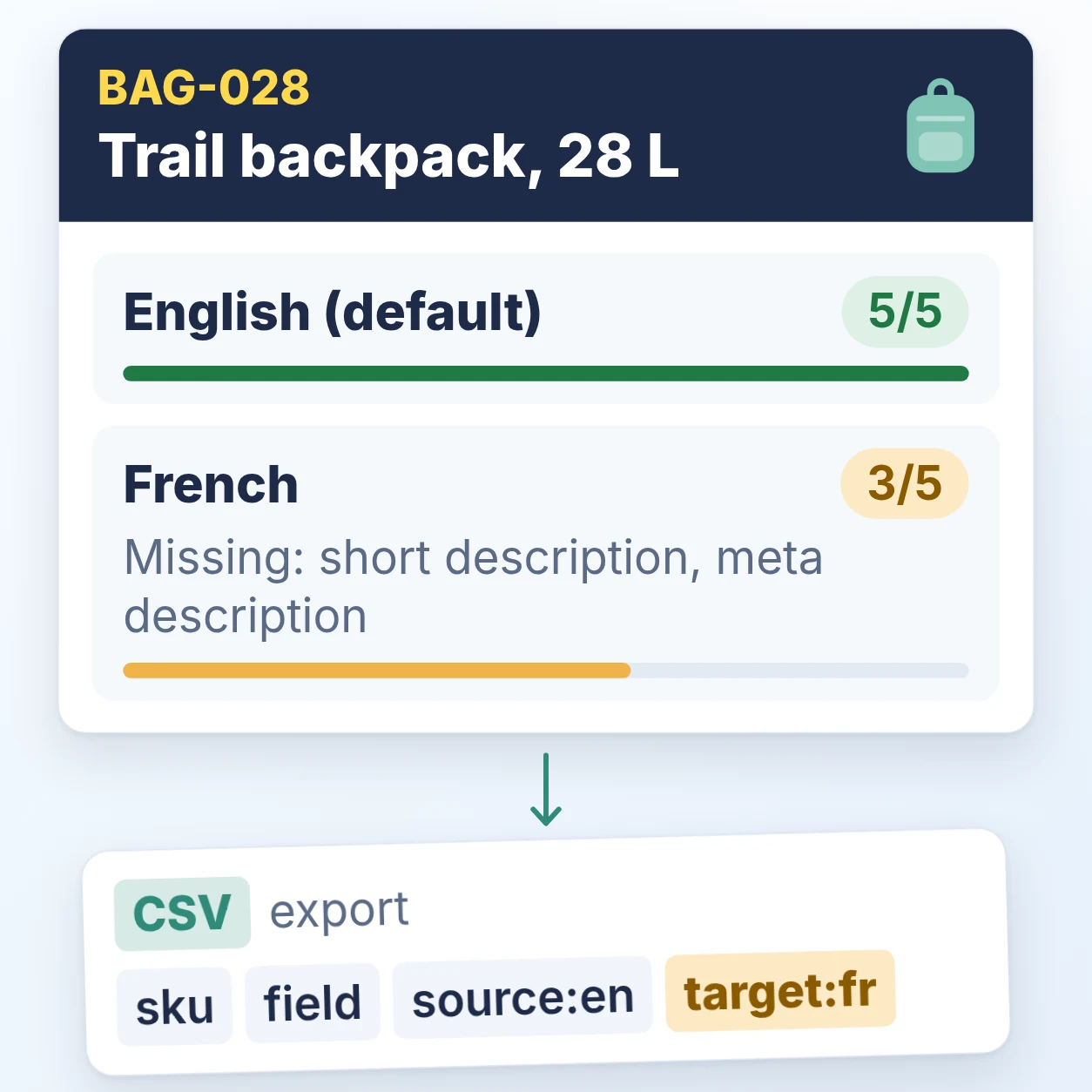
You send your English product text to a translator as a spreadsheet. While the file is out, you correct your trail backpack’s capacity in English from 25 L to 28 L. The French comes back, you paste it in, and it still says 25 L. Two fields came back empty, and nothing shows you what changed or what is missing.
In short: a product catalog translation workflow that holds up keeps one record per product, shows how complete each language is, gives translators a plain file and checks it on the way back. That is what GridPXM does.
Why does product text in the buyer’s language matter?
CSA Research’s “Can’t Read, Won’t Buy – B2C” press release (7 July 2020, 8,709 consumers in 29 countries) says “76% of online shoppers prefer to buy products with information in their native language”, while 66% “will choose the less expensive one even if it does not have information in their language”. It is 2020 consumer data, not specific to India or business buyers.
How should a product catalog translation workflow work?
I designed it around three failures: the source changes while a file is out, fields come back empty, and untranslated text makes a page look finished. So there is one product, one default language, and per-language text. Other attribute kinds share one value across languages.
Each language shows a completeness tag, such as 3/5. It counts name, short description, description, meta title, meta description and required per-language attributes; keywords do not count. Hover over the tag to see what is missing. Filled does not mean accurate.
Until a product has French content, its page shows the default language, labelled Showing English (default), with a link to add French.
How do you send text to a translator and bring it back safely?
Select products, choose Export translations, and pick source and target languages. Your translator edits only the target column of the CSV, in any tool that opens one. I wanted translators to need a file and nothing else, so GridPXM does the checking when it comes back.
For one backpack going from English to French, the file looks like this:
| sku | field | source: |
target: |
|---|---|---|---|
| BAG-028 | name | Trail backpack, 28 L | Sac à dos de randonnée, 28 L |
| BAG-028 | short_ |
Light 28 L pack for day hikes | |
| BAG-028 | meta_ |
28 L trail backpack | Sac à dos de randonnée de 28 L |
The blank short_description cell will be skipped.
On import, GridPXM matches rows by SKU and field and gives each row one of four results:
- Applied: saved.
- Stale: saved, but the English changed after export. Check that the translation still fits.
- Failed: not saved, for example an unknown SKU. Failed rows come back as a file to fix and re-import.
- Skipped: the target cell was empty. An empty cell never clears existing text.
Importing the same file twice asks you to confirm first. An import overwrites existing text for every row with a value, with no undo, so keep the exported file as your backup.

What does a one-language team see?
Nothing about translation: no language selector and no translation export or import, until you add a second language.
How do you audit your translations this week?
Check ten of your products for missing and outdated translations, then repeat the same check.
- Pick ten products you sell in a second language, best sellers first.
- List five text fields for each: name, short description, description, meta title and meta description.
- Mark each field missing, same as default, or different. Ask your reviewer whether unchanged text is intentional. Flag text older than its source.
- Fix older-than-source text first, because it can state the wrong fact. Then fill missing fields on best sellers.
- Recheck the same fields after the next round. Success means fewer missing and outdated fields, without more unknown or unchecked fields.
Record each product like this:
- Product: BAG-028, French
- Filled: 3 of 5 (name, description, meta title)
- Missing: short description, meta description
- Older than source: description (the capacity changed)
- Owner: catalog lead
If you have no edit history, mark freshness unknown. Counts cannot show whether a translation is accurate; have a reviewer fluent in the target language check the published page.
Keep one record, send out only what needs translating, and check everything that comes back.